
- {{get_started_text}}
- {{manual_text}}
- {{application_text}}
- {{voice_control_text}}
- {{firmware_text}}
- FAQ
關於 EZCast Pocket Plus
連接電腦或手機,輕鬆鏡像螢幕的內容,適合用於觀看影片和分享創意。

1. Type-C
2. 投影 / 配對
3. 重置按鈕
連接於 TV 或屏幕來顯示您從發射器傳遞的內容, 並將發射器中的內容以橫屏或豎屏顯示在大屏幕上。
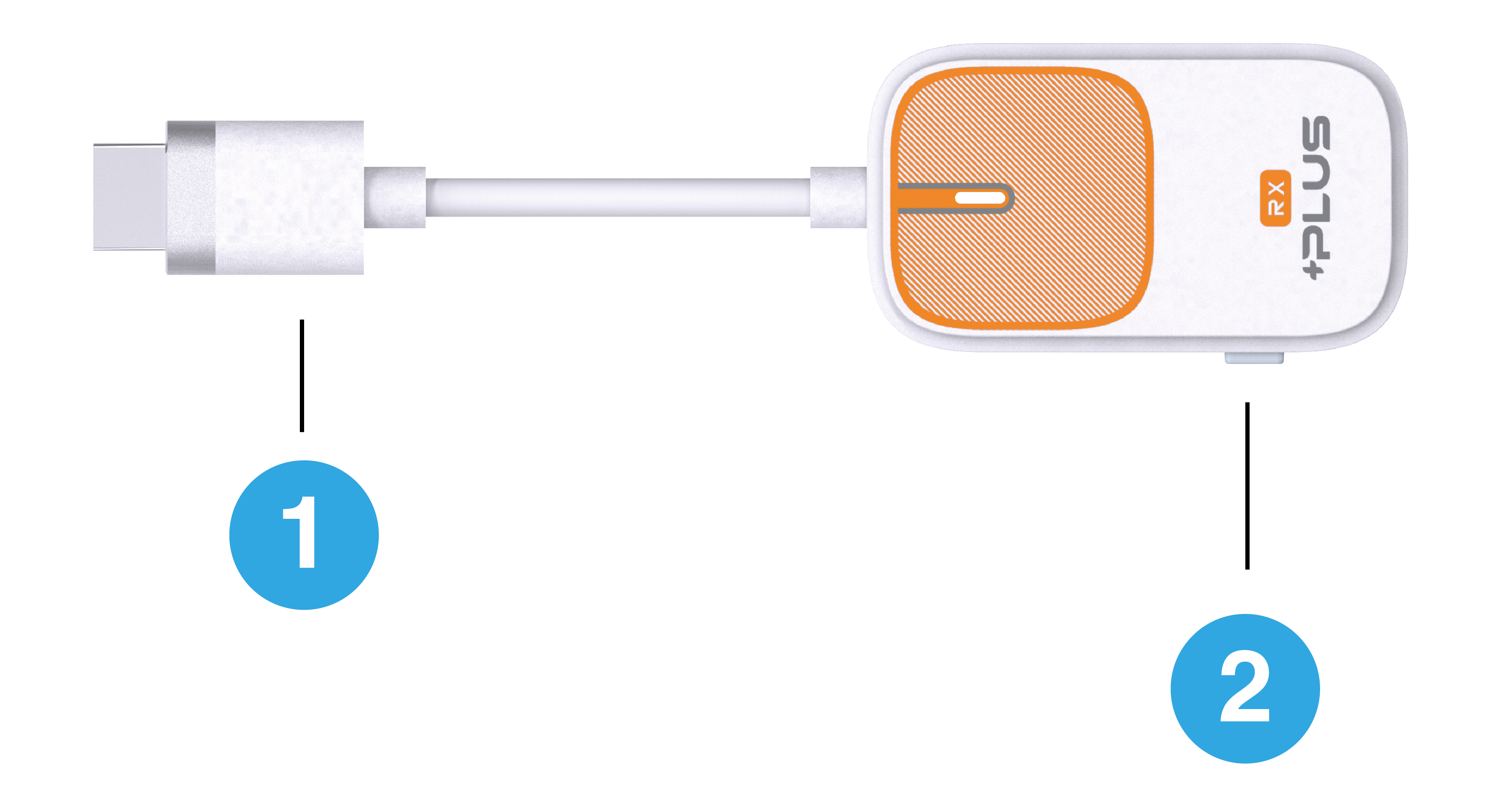
1. HDMI
2. 旋轉畫面 / 重置按鈕
如何鏡像

1. 安裝無線顯示接收器:將無線顯示接收器插到電視 HDMI 接口,並將 USB-C 接頭以獨立電源供電 (5V/1A)。
2. 發射器接上電腦或手機即可開始投屏:將發射器接上電腦、手機 Type-C 接口,等待數秒至發射器上的閃燈停止,即開始自動投屏。
3. 停止/重新鏡像:按下發射器上的 鏡像 / 配對 按鈕來停止鏡像或重新開始鏡像。
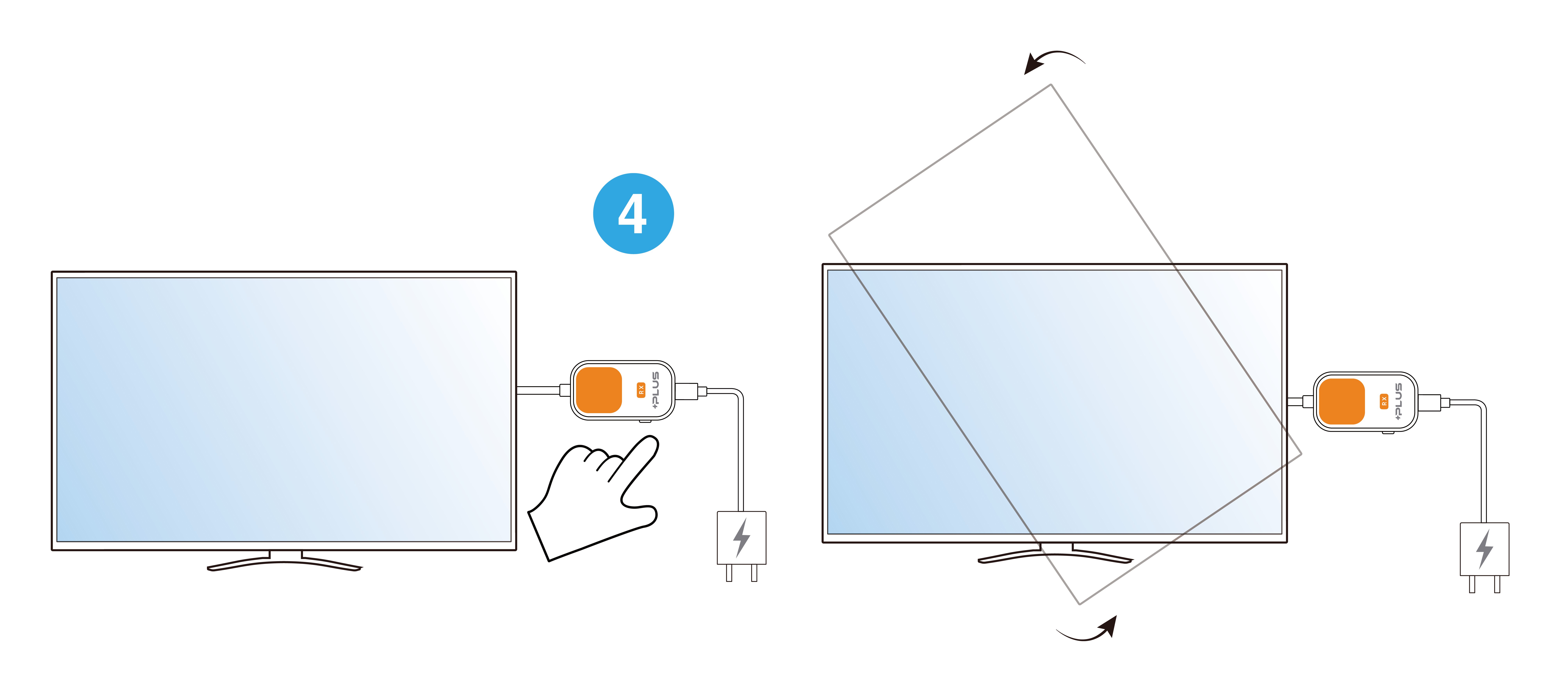
按壓接收器 (R-1)上的按鈕可切換畫面為豎屏模式。
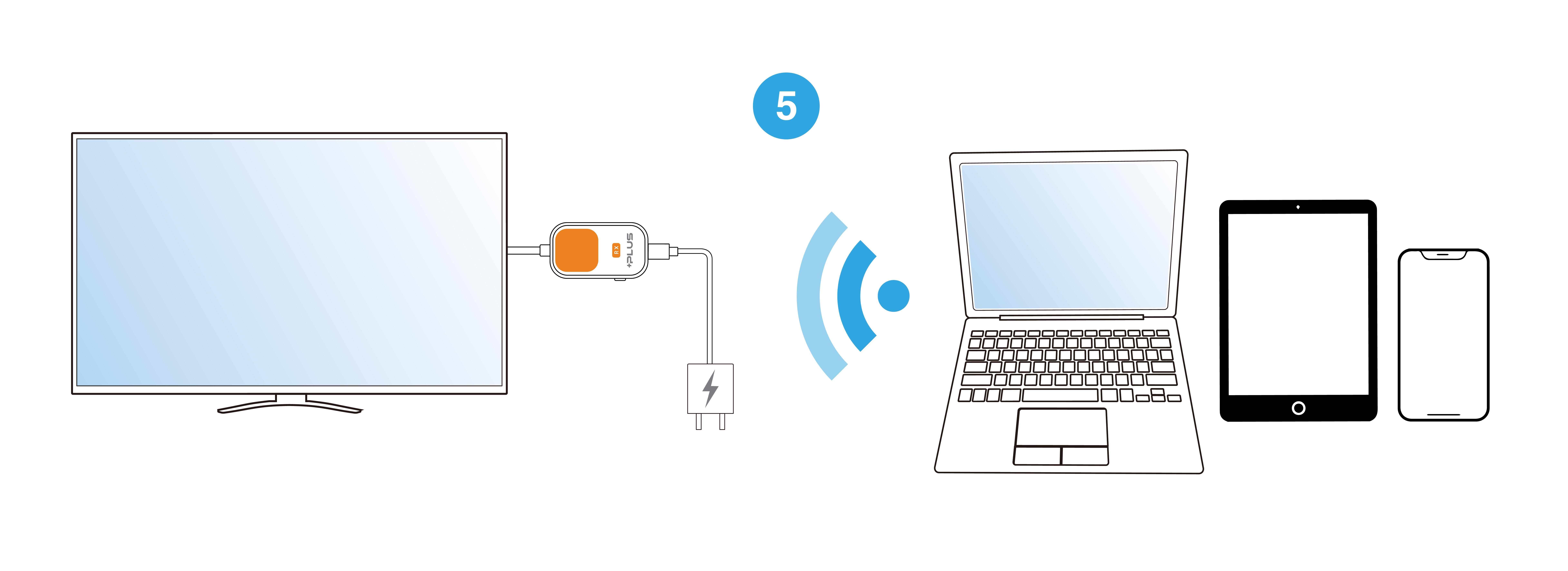
Plus 接收器支援 Android / Windows/ iOS/ macOS點對點投影,無需連接發射器,確保接收器連接至電源及螢幕後,可參考螢幕畫面教學進行投影。
关于 EZCast Pocket Plus
连接电脑或手机,轻松镜像屏幕的内容,适合用于观看影片和分享创意。
1. Type-C
2. 投屏 / 配对
3. 重置按钮
连接于 TV 或屏幕来显示您从发射器传递的内容, 並将发射器中的内容以横屏或竖屏显示在大屏幕上。
1. HDMI
2. 旋转画面 / 重置按钮
如何镜像
1. 安装无线显示接收器:将无线显示接收器插到电视 HDMI 接口,并将 USB-C 接头以独立电源供电 (5V/1A)。
2. 发射器接上电脑或手机即可开始投屏:将发射器接上电脑、手机的 Type-C 接口,等待数秒至发射器上的闪灯停止,即开始自动投屏。
3. 停止/重新镜像:按下发射器上的 镜像 / 配对 按钮来停止镜像或重新开始镜像。
按压接收器 (R-1) 上的按钮可切换画面为竖屏模式。
Plus 接收器支援 Android / Windows/ iOS/ macOS点对点投屏,无需连接发射器,确保接收器连接至电源及屏幕后,可参考萤幕画面教学进行投屏。
Abut EZCast Pocket Plus
Easily mirror whatever shows on your laptop or mobile screen, ideal for video-watching and idea sharing.
1. Type-C
2. Mirror/ Pair
3. Reset
Display the content by Landscape or Portrait mode from your transmitter on the big screen like an HDTV or Projector screen.
1. HDMI
2. Rotate / Reset
How to mirror
1. Install the receiver:Connect the receiver to the HDMI port on TV, and power on by an independent power 5V/1A adapter.
2. Plug and play:Connect the transmitter to the Type-C port of your laptop or mobile, wait for a few seconds until the flashing light on the transmitter stops, and then the screen will automatically project.
3. Stop and restart mirroring:Press the button on the Transmitter to stop mirroring or restart mirroring
Press the button on the Pocket Prime RX to switch to portrait mode.
The Plus receiver supports point-to-point projection for Android, Windows, iOS, and macOS. Simply connect the receiver to a power source and the screen, then follow the on-screen instructions to start mirroring.